Skip to content
Learn ICT Now
GitHub
YouTube
TikTok
Facebook
Instagram
X
LinkedIn
Home
Core Concepts
Conventions
Entity-Relationship Diagram
Film Genre Conventions
Game Design Conventions
Grey Boxing
Naming Conventions and Naming Schemes
Object Relationship Mapping
Scale Drawings
Schematic Diagrams
System Block Diagrams
Visual Hierarchy
Web design site maps
Project Management
Relevant Implications
Accessibility
Aesthetics
Cultural
End User Considerations
Ethical
Functionality
Future Proofing
Health and Safety
Intellectual Property
Legal
Privacy
Social
Sustainability
Techniques
Testing
Tools
Trialling
User Experience and Human Computer Interaction
Usability Heuristics
Aesthetic and Minimalist Design
Consistency and Standards
Error Prevention
Flexibility and Efficiency of Use
Help and Documentation
Help Users Recognise, Diagnose, and Recover from Errors
Match Between System and the Real World
Recognition Rather Than Recall
User Control and Freedom
Visibility of System Status
NCEA
Digital Technologies (Level 1)
AS92006 | Demonstrate Understanding of Usability in Human Computer Interfaces
Digital Technologies (Level 2)
AS91893 | Use advanced techniques to develop a digital media outcome
AS91897 | Use Advanced Processes To Develop A Digital Outcome
Project | Advanced Combined Digital Outcome
Digital Technologies (Level 3)
AS91903 | Use complex techniques to develop a digital media outcome
AS91907 | Use Complex Processes to Develop a Digital Technologies Outcome
AS93601 | Technology Scholarship
AS93604 | Digital Technologies Scholarship
Project | Complex Digital Outcome
Phase 4
Year 09 | Computer Science
Year 09 | Digital Technologies
Year 10 | Computer Science
Year 10 | Digital Technologies
Phase 5
Year 11 | Digital Technologies
Year 12 | Computer Science
Year 12 | Digital Media
Year 13 | Computer Science
Year 13 | Digital Media
Resources
Topics and Content
Blog
Search
Touch Input on Secondary Monitor in Windows 11
Andrew Thawley
8 April 2026
Table of Contents
Toggle
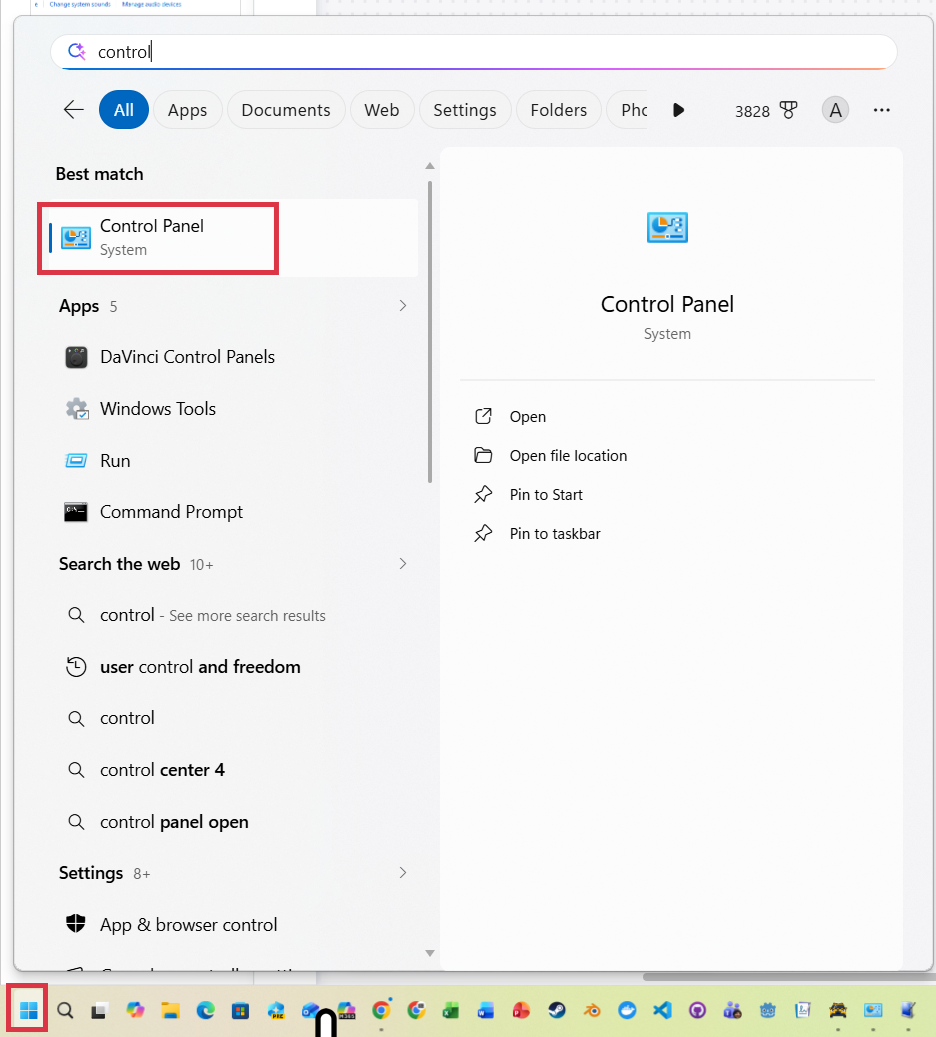
1. Open
Control
Panel
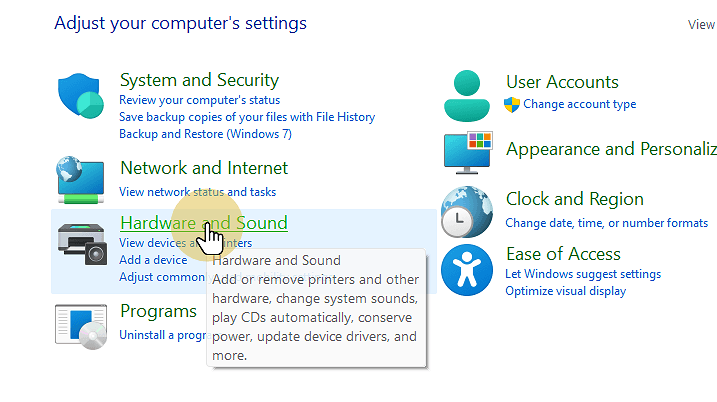
2. Click Hardware and Sound
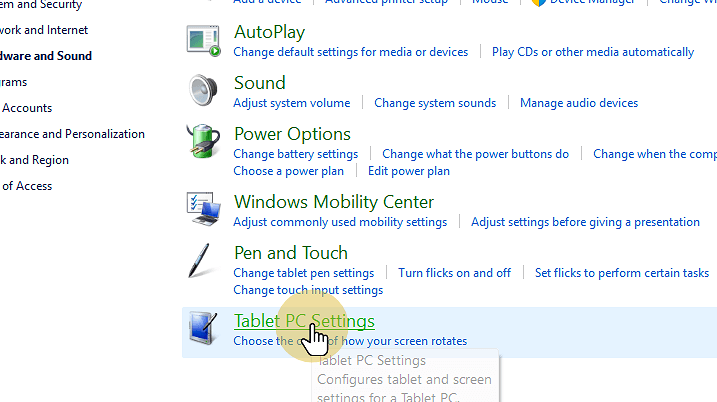
3. Click Tablet PC Settings
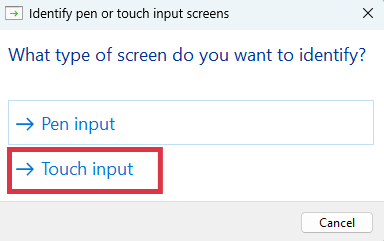
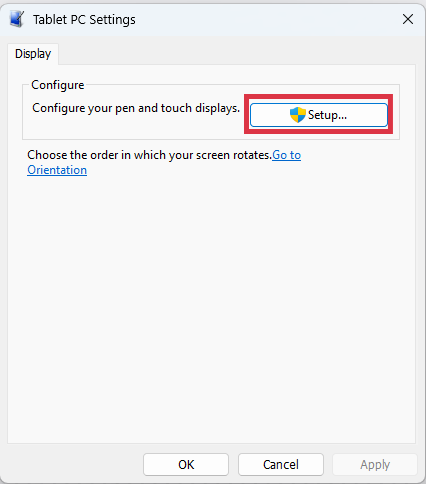
4. Click Setup
5. Select Touch Input
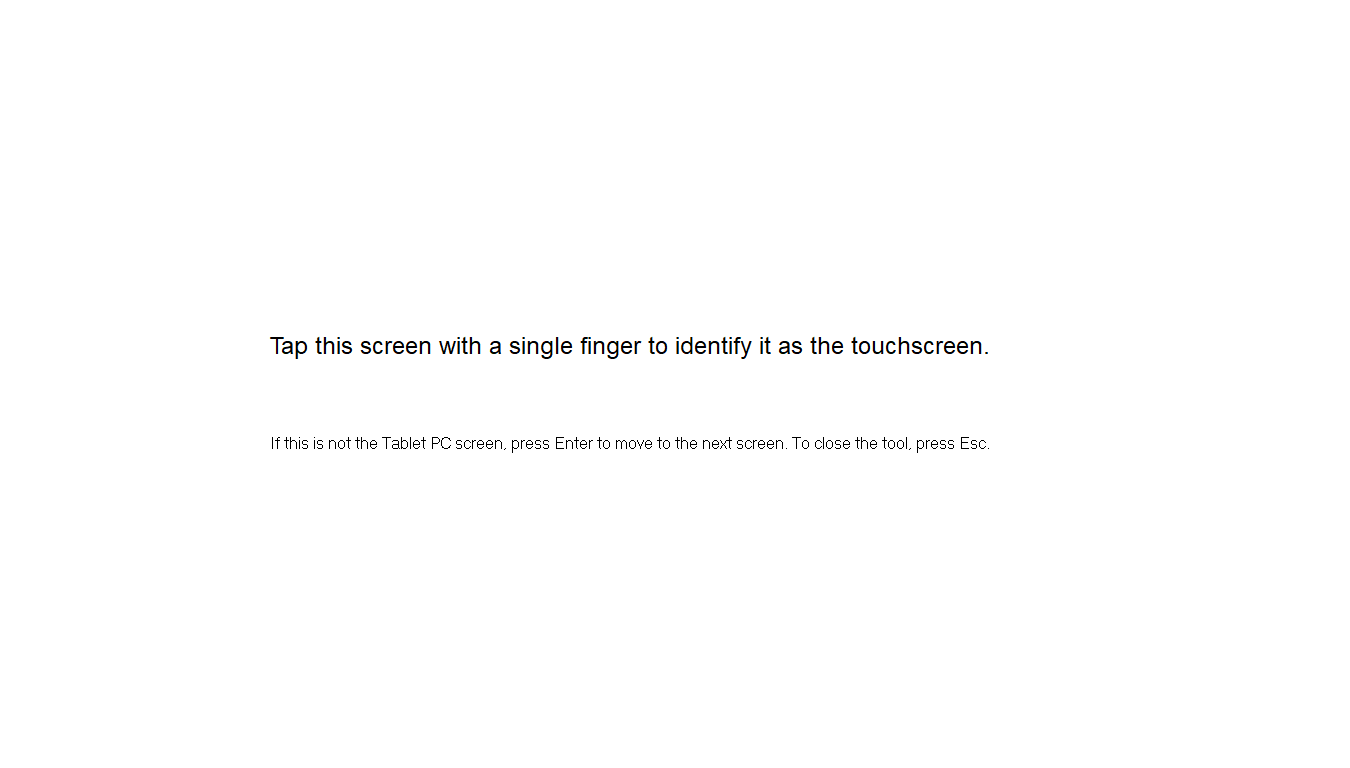
6. Follow Onscreen Instructions
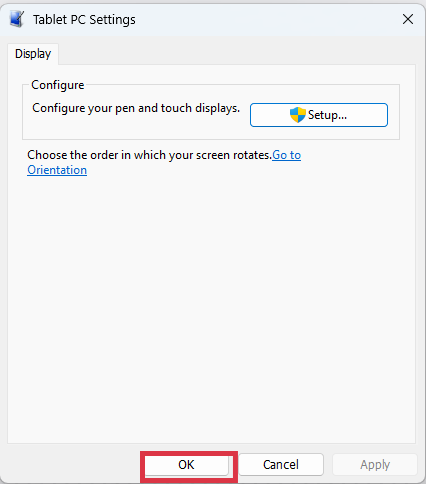
7. Click OK
1. Open
Control
Panel
2. Click Hardware and Sound
3. Click Tablet PC Settings
4. Click Setup
5. Select Touch Input
6. Follow Onscreen Instructions
7. Click OK
←
Previous:
Australia’s Under 16 Social Media Ban
Next:
Setting up Godot (v4.6.1)
→
Andrew Thawley
Categories
Categories
Select Category
3D Modelling (2)
91897 (1)
91907 (1)
92006 (2)
93604 (2)
AI (3)
Algorithms (1)
Animation (1)
Audio (3)
Big O Notation (1)
Blog (2)
Case Studies (3)
Computer Science (1)
Data Modelling (1)
Databases (2)
Ethics (3)
Flask (5)
Game Development (3)
Gaming (4)
Generative AI (3)
GitHub (3)
Godot (14)
HCI (2)
Information Experiences (2)
Interactive Experiences (2)
Microsoft (1)
NCEA (1)
News (4)
Phase 4 (1)
Phase 5 (1)
Programming (1)
Project Management Tools and Techniques (3)
Projects (1)
Python (11)
Searching and Sorting (1)
Spreadsheets (1)
SQLite (1)
Time-based Experiences (2)
UX (1)
Version Control (3)
Video Editing (1)
Web Design (5)
Windows (1)
Archives
July 2026
(18)
June 2026
(31)
May 2026
(2)
April 2026
(5)
December 2025
(1)
November 2025
(2)
October 2025
(3)
September 2025
(3)
July 2020
(1)
Search
Search
Latest Posts
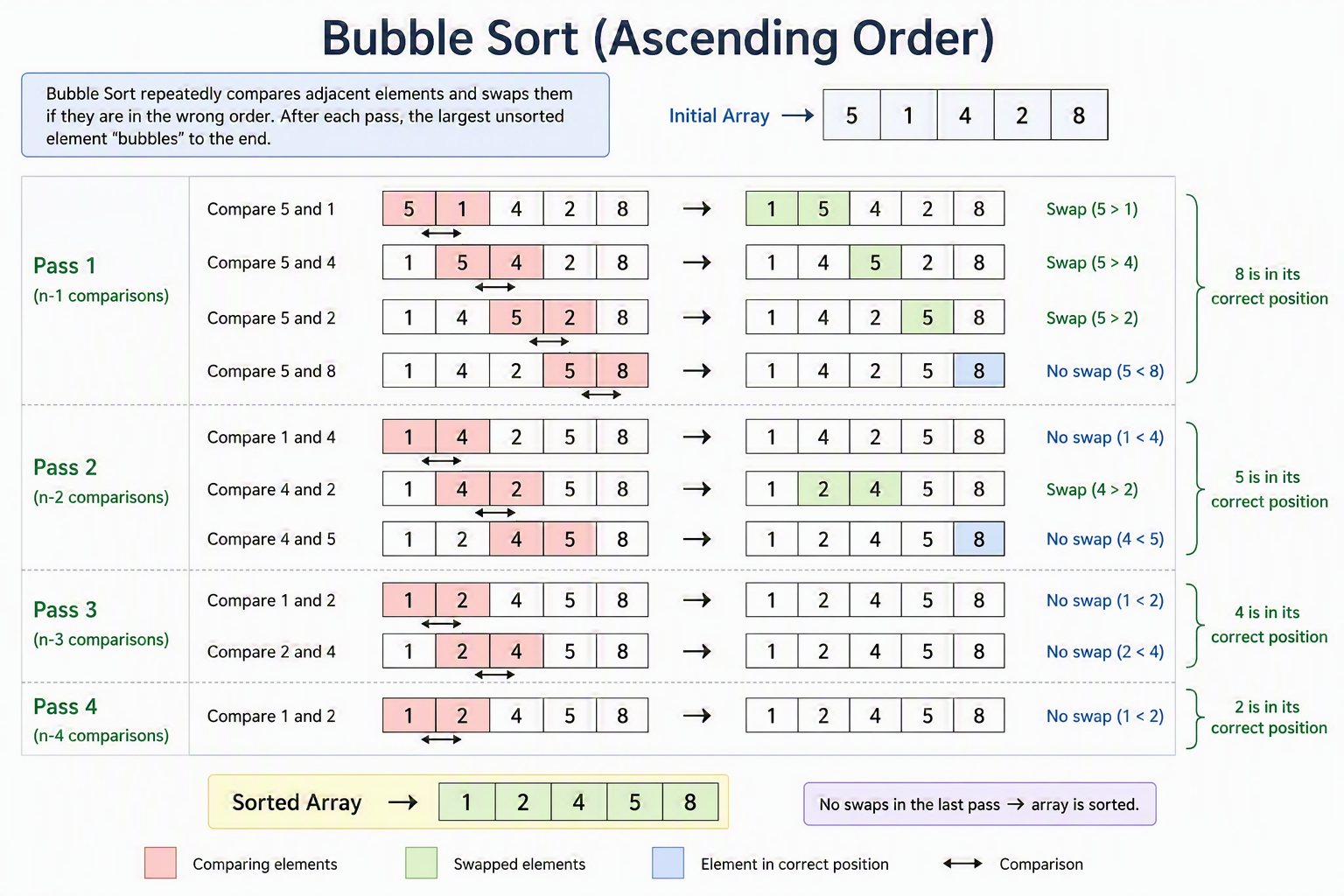
Bubble Sort
Jul 17, 2026
Big O Notation and Algorithmic Complexity
Jul 17, 2026
Building a Game in Godot
Jul 17, 2026
Data Modelling and Spreadsheets
Jul 17, 2026
Image Manipulation
Jul 17, 2026
Tags