Scene Setup
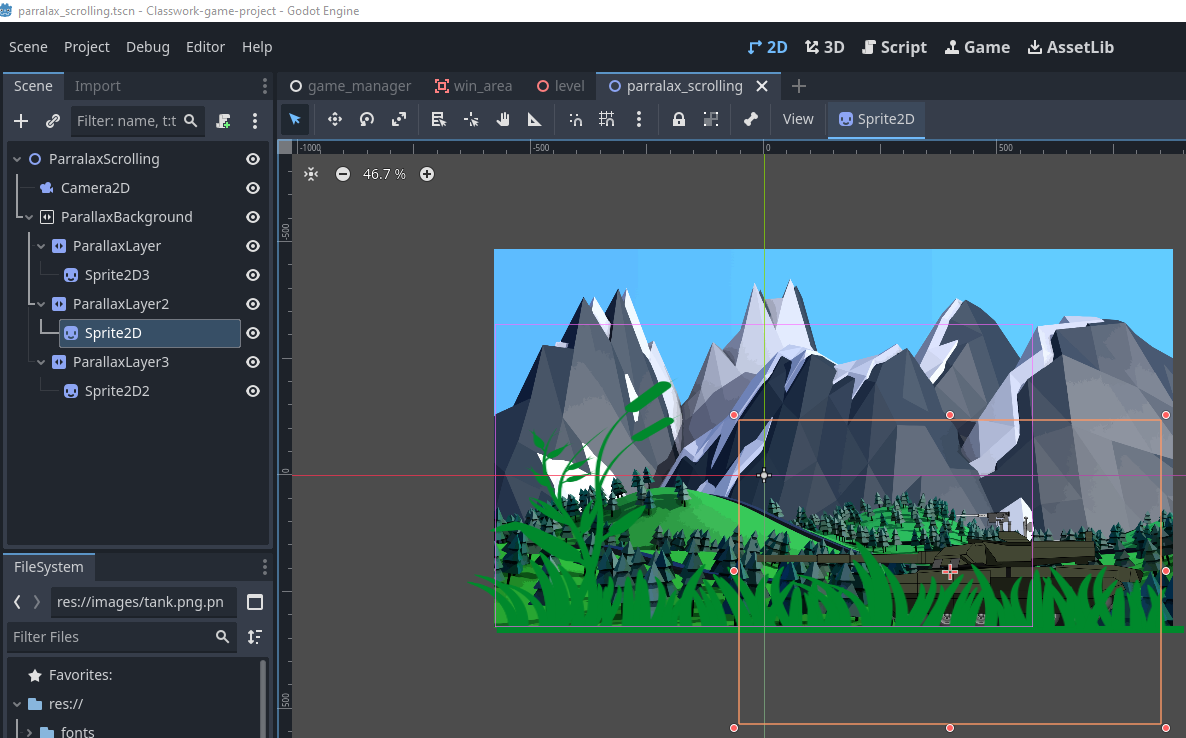
Start by creating a new 2D scene in Godot.
- Root Node: Use a
Node2DorMainas your root. - Add a Camera2D: This will Control the view and trigger the parallax effect.
Add ParallaxBackground
- Right-click the root node and add a
ParallaxBackgroundnode. - This node manages the parallax effect and tracks the camera.
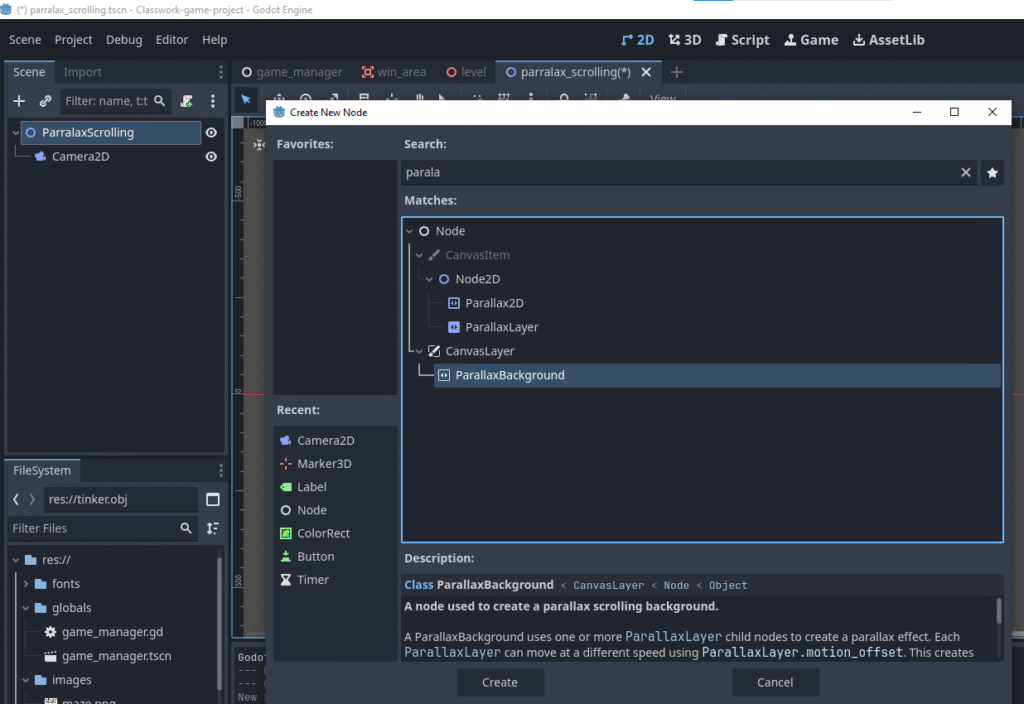
Add ParallaxLayer(s)
- Add one or more
ParallaxLayernodes as children ofParallaxBackground. - Each layer will scroll at a different speed to simulate depth.
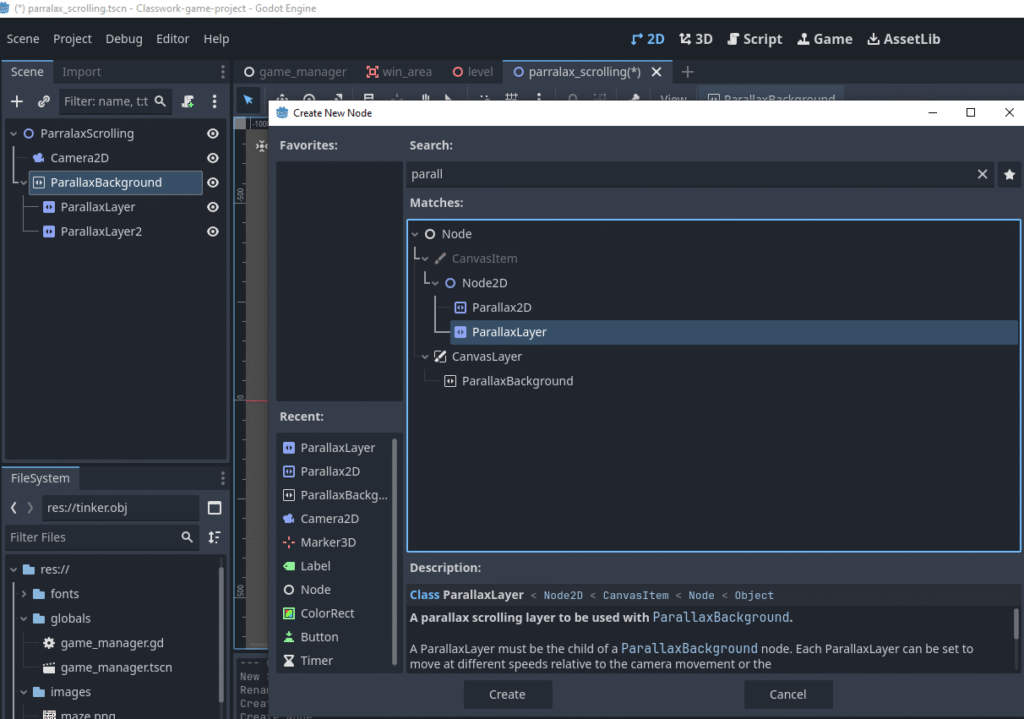
Add Visual Elements
- Add
Sprite2Dnodes as children of eachParallaxLayer. - Assign textures (e.g., clouds, mountains, stars) to each Sprite.
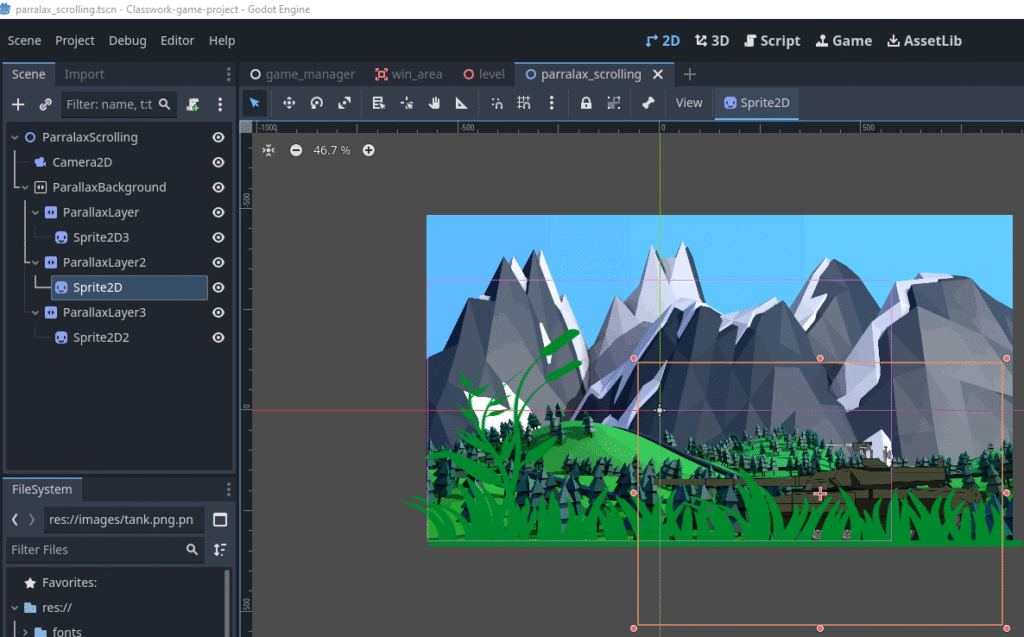
Configure Motion Scale
- Select each
ParallaxLayerand adjust themotion_scaleproperty:- Far background:
Vector2(0.1, 0.1) - Mid background:
Vector2(0.5, 0.5) - Foreground:
Vector2(1, 1)
- Far background:
This controls how fast each layer moves relative to the camera.
References