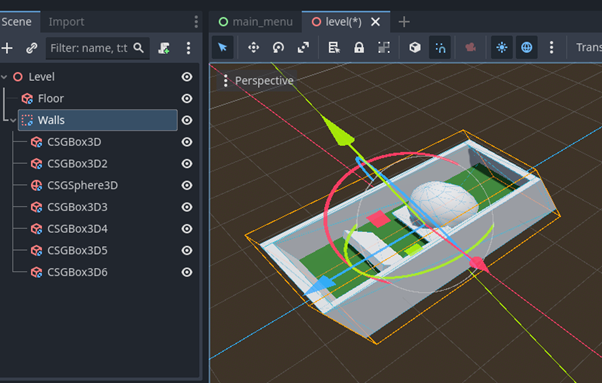
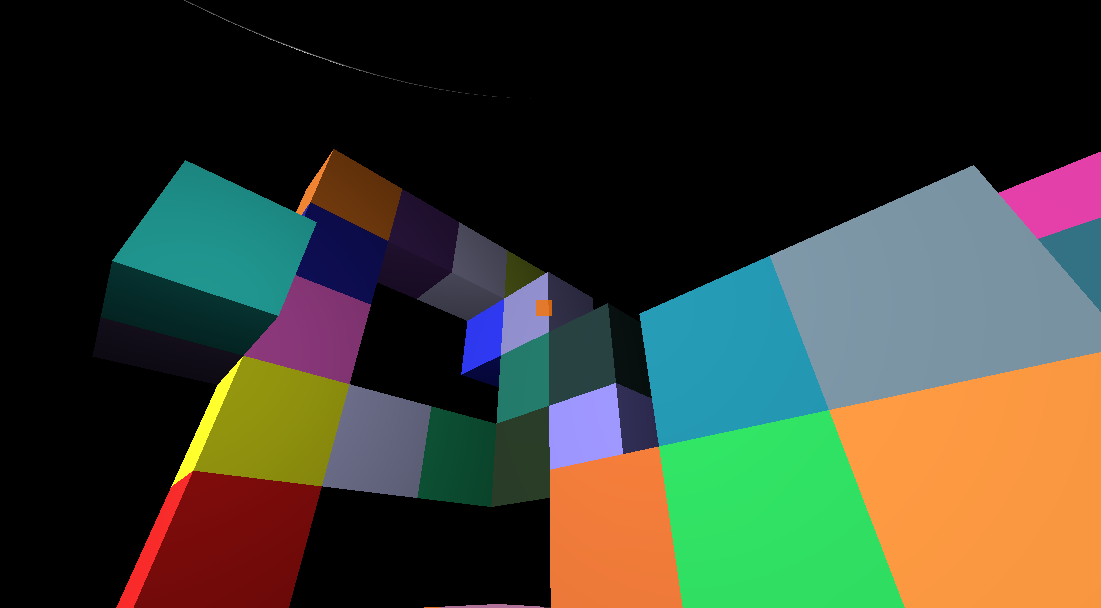
You can download a sample Grapple Mechanic from the link below.
This uses a raycast to collide with an body and then moves the player towards the target.
You will Need to add or chanrge the relevant input maps for grapple, sprint, and movement.
extends CharacterBody3D

# --- Movement Variables ---
@export var normal_speed : Float = 5.0
@export var sprint_speed : Float = 8.0
@export var jump_velocity : Float = 4.5
@export var mouse_sensitivity : Float = 0.003

# --- Grapple Variables ---
@export var grapple_pull_speed : Float = 15.0
@export var grapple_release_boost : Float = 5.0  # Extra kick when releasing the grapple

# Grapple Mechanics
@export var indicator_size : Float = 0.3
@export var indicator_color : Color = Color.ORANGE
var grapple_indicator : MeshInstance3D = null

# --- Node References ---
@onready var head: Node3D = $Head
@onready var camera: Camera3D = $Head/Camera3D
@onready var raycast: RayCast3D = $Head/Camera3D/RayCast3D
@onready var grapple_line: MeshInstance3D = $Head/Camera3D/GrappleLineMeshInstance3D

# --- State Variables ---
var is_grappling : Bool = false
var grapple_point : Vector3 = Vector3.ZERO

# Get the gravity from the Project settings to be synced with RigidBody nodes.
var gravity: Float = ProjectSettings.get_setting("physics/3d/default_gravity")

func _ready() -> void:
	# Capture the mouse for the FPS experience
	Input.mouse_mode = Input.MOUSE_MODE_CAPTURED

func _unhandled_input(Event: InputEvent) -> void:
	# Camera Look
	if Event is InputEventMouseMotion and Input.mouse_mode == Input.MOUSE_MODE_CAPTURED:
		head.rotate_y(-Event.relative.x * mouse_sensitivity)
		camera.rotate_x(-Event.relative.y * mouse_sensitivity)
		camera.rotation.x = clamp(camera.rotation.x, deg_to_rad(-89), deg_to_rad(89))

func _physics_process(delta: Float) -> void:
	# 1. Handle Grapple Input
	if Input.is_action_just_pressed("grapple"):
		print("Grapple")
		if raycast.is_colliding():
			is_grappling = true
			grapple_point = raycast.get_collision_point()

			create_indicator(grapple_point)

	if Input.is_action_just_released("grapple") and is_grappling:
		stop_grapple()

	# 2. Movement Logic
	if is_grappling:
		handle_grapple_movement(delta)
		draw_grapple_line() # <-- Call the drawing Function here
	else:
		handle_normal_movement(delta)
		grapple_line.mesh.clear_surfaces() # <-- Clear the line when not grappling

	move_and_slide()

func handle_normal_movement(delta: Float) -> void:
	# Add the gravity
	if not is_on_floor():
		velocity.y -= gravity * delta

	# Handle Jump
	if Input.is_action_just_pressed("ui_accept") and is_on_floor():
		velocity.y = jump_velocity

	# Determine Speed
	var current_speed = sprint_speed if Input.is_action_pressed("sprint") else normal_speed

	# Get input direction and handle movement/deceleration
	var input_dir := Input.get_vector("move_left", "move_right", "move_forward", "move_backward")
	var direction := (head.global_transform.basis * Vector3(input_dir.x, 0, input_dir.y)).normalized()

	if direction:
		velocity.x = direction.x * current_speed
		velocity.z = direction.z * current_speed
	else:
		velocity.x = move_toward(velocity.x, 0, current_speed)
		velocity.z = move_toward(velocity.z, 0, current_speed)

func handle_grapple_movement(delta: Float) -> void:
	# Calculate direction vector to the grapple point
	var dir_to_point = (grapple_point - global_position).normalized()

	# Smoothly pull the player towards the point
	# Using LERP on velocity allows for a slight organic acceleration curve
	velocity = velocity.LERP(dir_to_point * grapple_pull_speed, delta * 8.0)

	# Optional: Break the grapple if you get incredibly close to the point to prevent clipping
	if global_position.distance_to(grapple_point) < 1.5:
		stop_grapple()

func stop_grapple() -> void:
	is_grappling = false
	# Give the player a slight upward/forward momentum boost upon release for a fluid feel
	velocity += velocity.normalized() * grapple_release_boost

	if is_instance_valid(grapple_indicator):
		grapple_indicator.queue_free()

func draw_grapple_line() -> void:
	var im: ImmediateMesh = grapple_line.mesh
	im.clear_surfaces() # Clear the last frame's line

	# Start drawing lines
	im.surface_begin(Mesh.PRIMITIVE_LINES)

	# Origin Point (Use the RayCast3D's global position as the starting point)
	var start_pos = raycast.global_position
	# Convert global start position to local space of the GrappleLine node
	var local_start = grapple_line.to_local(start_pos)

	# Target Point (Convert global grapple point to local space)
	var local_end = grapple_line.to_local(grapple_point)

	# Draw the line segments
	var grapple_color : Color = Color.CYAN
	im.surface_set_color(grapple_color)
	im.surface_add_vertex(local_start)

	im.surface_set_color(grapple_color)
	im.surface_add_vertex(local_end)

	# Finish drawing
	im.surface_end()

func create_indicator(spawn_position: Vector3) -> void:
	# 1. Create a new MeshInstance3D
	grapple_indicator = MeshInstance3D.new()

	# 2. Build a Sphere Mesh and assign it
	var sphere_mesh = SphereMesh.new()
	sphere_mesh.radius = indicator_size / 2.0
	sphere_mesh.height = indicator_size
	grapple_indicator.mesh = sphere_mesh

	# 3. Create a Material to give it color (Unshaded so it glows)
	var mat = StandardMaterial3D.new()
	mat.albedo_color = indicator_color
	mat.shading_mode = StandardMaterial3D.SHADING_MODE_UNSHADED
	grapple_indicator.material_override = mat

	# 4. Add it to the main game tree (not as a child of the player, so it stays pinned to the wall)
	get_tree().root.add_child(grapple_indicator)

	# 5. Position it at the global impact point
	grapple_indicator.global_position = spawn_position